









Nimble for Cortex Code: Bring Live Web Data Into Your Snowflake Workflow + Examples
Search the live web from Snowflake Cortex Code with Nimble's MCP server — bring structured pricing, listings, reviews, and SERP data straight into your Snowflake environment without leaving the CLI.



Alon Goldenberg
Nimble for Cortex Code: Bring Live Web Data Into Your Snowflake Workflow + Examples
Search the live web from Snowflake Cortex Code with Nimble's MCP server — bring structured pricing, listings, reviews, and SERP data straight into your Snowflake environment without leaving the CLI.
Alon Goldenberg


Most popular articles

Get structured, reliable data for your stack.
Snowflake Cortex Code (CoCo to its friends) is one of the most context-aware coding agents shipping right now. It knows your warehouses. It knows your schemas. It respects your RBAC. Ask it to scaffold a dbt model, optimize a slow query, or stand up a Cortex Agent, and it just does it — with full awareness of where it's running and what it's allowed to touch.
There's one thing it can't see: the open web.
That's where Nimble comes in — the most powerful search and extraction platform for the data still living on the open web. Until now, those two worlds didn't talk to each other.
They do now.
With Nimble's MCP server connected to Cortex Code, the live web becomes a first-class data source inside Snowflake. Search Amazon, Google, Maps, Zillow, LinkedIn, or any site on the open web — and have the structured results land directly in a Snowflake table, governed by your RBAC, in the same conversation. The friction between "this data exists somewhere on the web" and "this data is queryable in Snowflake" effectively disappears.
Web data lands in Snowflake without a separate scraping service or ETL job to maintain.
What you get when you plug Nimble into Cortex Code
Nimble is a web data platform built around three primitives: Search the web, Extract structured data from any URL, and Agents that orchestrate complex data and research tasks across multiple sources.
Every one of those primitives is exposed through Nimble's MCP server. Cortex Code CLI supports MCP natively. The result, once configured:
- 18 new tools in your Cortex Code session, namespaced as mcp__nimble__* (search, extract, map, crawl, agents, batch, and the rest of the SDK surface).
- Deep data extraction, JavaScript rendering, and parsing all handled on Nimble's side — Cortex Code just receives clean structured data.
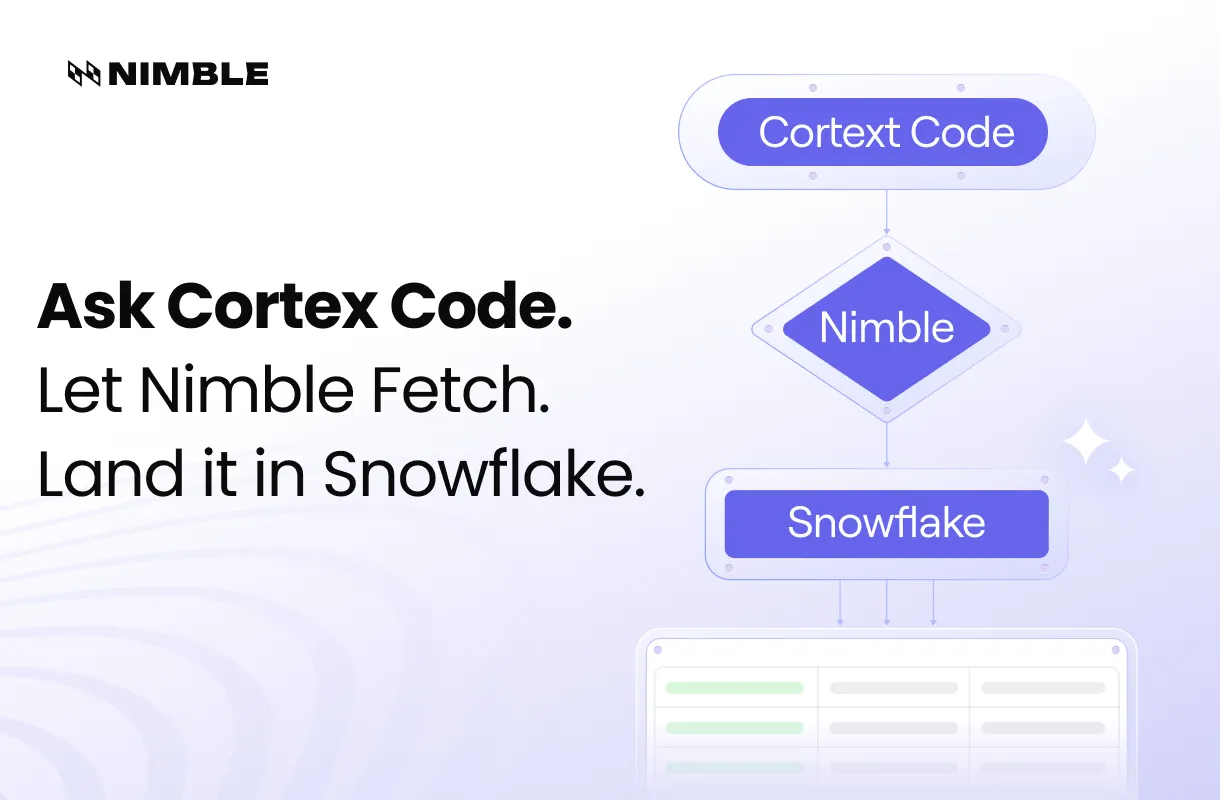
- Direct path to Snowflake. Cortex Code knows your tables. Nimble knows the web. Put them together and the flow goes: prompt → live web pull → typed result → INSERT INTO …. No glue scripts.
That last point is key. Generic coding agents that scrape the web hand you a JSON blob and leave the rest as an exercise. Cortex Code with Nimble plugged in doesn't just fetch — it lands the data where your analysts already work.
Getting started
You'll need three things: a Nimble API key, Cortex Code CLI installed, and a one-line MCP server registration.
1. Get an API key from Account Settings → API Keys.
2. Add the Nimble MCP server to Cortex Code.
From your terminal:
cortex mcp add nimble https://mcp.nimbleway.com/mcp \
--transport http
Or edit ~/.snowflake/cortex/mcp.json directly:
{
  "mcpServers": {
    "nimble": {
      "type": "http",
      "url": "https://mcp.nimbleway.com/mcp",
      "headers": {
        "Authorization": "Bearer ${NIMBLE_API_KEY}"
      }
    }
  }
}
3. Verify the connection
cortex mcp start
Open an interactive session and run /mcp — you should see nimble listed with 18 tools exposed and a status of connected. From this point on, every Cortex Code session has the full Nimble toolkit available, with no further setup.
A worked example: how Coca-Cola turned Cortex into a live menu-intelligence engine
This is exactly the pattern Coca-Cola is using with Nimble today. Field sales teams live or die by one question: which restaurants in a territory serve our products, and which serve the competition? That answer decides where reps spend their time, which accounts to defend, and which to win back.
Most teams answer that question with static data — a quarterly menu file from a third-party vendor, loaded into Snowflake, already out of date the day it arrives. Restaurants update menus constantly. New locations open. Beverage contracts flip. By the next refresh, half the target list is wrong.
Coca-Cola took a different path. Instead of licensing a snapshot, they use Nimble to search live restaurant menus across their target geographies and land the structured results directly in Snowflake — always current, scored against competitive presence, and ready for the sales team to act on the same day.
With Nimble + Cortex Code, that entire pipeline lives in one prompt. Cortex Code gets the knowledge and tools it needs to search the web, parse menus, and write back to Snowflake autonomously.
Step 1: Validate the search on a single restaurant
Before scripting anything, confirm Nimble returns clean menu data on one location:
Use Nimble to search the current beverage menu for
"Joe's Pizza, 7 Carmine St, New York, NY". Show me the response shape.
Cortex Code calls mcp__nimble__nimble_search and prints back the structured response — beverage items, brand names where detectable, prices, source URL, last-seen timestamp. One call, two seconds, and you know exactly which fields are populated and which need a default.
Step 2: Stage the target table
Now ask Cortex Code to set up the destination, using its native Snowflake awareness:
Create ANALYTICS.RESTAURANT_BEVERAGE_MENU with columns for restaurant_id,
name, address, beverage_items (array), competitor_brands_detected (array),
source_url, and fetched_at. Cluster on restaurant_id.
Because Cortex Code understands your account context, it generates DDL that fits your conventions — warehouse selection, role, the works — and executes after you confirm.
Step 3: Run across the territory
For more than a handful of locations, Nimble's batch endpoint is the right tool — up to 1,000 inputs per request, processed in parallel, with results delivered to S3 if you want them out of the response payload.
Read all restaurants from RAW.TERRITORY_PROSPECTS where region = 'Northeast'.
Search each one's beverage menu using Nimble in batch mode. Flag any that
show competitor brands. Insert results into ANALYTICS.RESTAURANT_BEVERAGE_MENU
with fetched_at set to the run time.
Cortex Code:
- Queries
RAW.TERRITORY_PROSPECTSdirectly (it has Snowflake credentials). - Calls
mcp__nimble__nimble_searchin batch mode against Nimble. - Polls progress until the batch completes.
- Builds and executes the
INSERTagainstANALYTICS.RESTAURANT_BEVERAGE_MENU.
Each of those steps happens with you watching, with confirmation prompts on anything that writes. The whole flow runs inside the Snowflake RBAC perimeter — Cortex Code never operates beyond what your role can already do. The sales team's target list is now both current and competitively scored.
Step 4: Make it a skill
Once Coca-Cola's team had the prompt working, they saved it as a Cortex Code skill so the next analyst — or the next territory — doesn't have to rediscover it:
Markdown
name: restaurant-menu-intelligence
description: Search live restaurant beverage menus via Nimble and load
  results to Snowflake for sales territory prioritization.
---

# When to Use
- Refreshing restaurant menu intelligence for field sales
- Identifying accounts serving competitor beverages
- Validating new territory prospect lists

# Instructions
1. Read restaurants from the source table specified by the user
2. Run `mcp__nimble__nimble_search` in batch mode for each location's menu
3. Detect competitor beverage brands in the response
4. Map response fields to the target table schema
5. Insert with fetched_at = CURRENT_TIMESTAMP()
6. Report row count, locations flagged for competitive presence, and any failed lookups
Drop that in your skills directory and the entire sales ops team can trigger it from a single sentence going forward. Skills in Cortex Code use the same markdown-based format as Claude Code, so playbooks you've already built for one work in the other.
What else you can build with Nimble and Cortex Code
The Snowflake-plus-live-search combination opens up categories that were previously painful enough that most teams just… didn't. A few that come up often:
Field sales territory planning. Menu intelligence is one example. The same pattern works for any business where local presence drives sales — coffee chains tracking machine placements, snack brands tracking shelf presence at convenience stores, alcohol brands tracking bar inventories.
Pricing intelligence across retail platforms. Amazon, Walmart, Target, Wayfair — Nimble has pre-built agents for each. Same pattern as above with a different target site.
Digital shelf and ranking. Search SERP positions and AI Overview presence for your brand terms, score them by share of voice, and write the time series to Snowflake for trending.
Account enrichment. Take a Snowflake table of company names or domains and resolve them to firmographics, headcount signals, hiring activity, or review presence. Cortex Code reads the source table, Nimble searches the web, results land back as a join-ready enrichment table.
Alternative data for finance and consulting. Property listings, business activity from Maps, marketplace inventory — search them on a schedule, store as time series, run analysis against governed Snowflake tables.
Sites Nimble doesn't have a pre-built agent for yet. Describe the site to Cortex Code, and use Nimble's agent builder to spin up a custom search agent on the fly. Once it's published, it runs like any other — parameterized, reliable, ready to batch.
Why this combination, specifically
Cortex Code without Nimble is great at the inside of your data stack but stops at your firewall. Nimble without Cortex Code gives you all the live web data you could want but leaves the "now load it into Snowflake" step for someone else to write.
Together they collapse the distance between the web exists and the data is in my warehouse, governed, queryable, and refreshed on schedule. The same conversation that asks the question executes the entire path to answering it.
That's the whole pitch: stop building ingestion infrastructure for data that already exists on the public web. Ask Cortex Code for it. Let Nimble fetch and parse it. Land it in Snowflake. Move on.
Continue exploring
- Nimble MCP server documentation
- Cortex Code CLI MCP support (Snowflake docs)
- Nimble Web Search Agents
- Building Data Apps with Nimble and Claude: Practices That Work
- Nimble Skills for Cursor
FAQ
Does Cortex Code's MCP support work with hosted servers? Yes — Cortex Code CLI supports three MCP transport types (stdio, http, sse). Nimble's hosted MCP server uses HTTP, so configuration is a single block in mcp.json or one cortex mcp add command.
Does this work in Cortex Code in Snowsight, or only the CLI? Today's MCP integration runs through Cortex Code CLI. The CLI works inside any terminal — including the integrated terminals in VS Code, Cursor, and Snowsight Workspaces — so you don't have to leave your editor of choice.
FAQ
Answers to frequently asked questions
.avif)
%20(1).webp)
.png)

.webp)
.webp)

.webp)