









Top 20 Claude Code Plugins by Use Case
Top 20 Claude Code Plugins by Use Case



Charlie Klein
Top 20 Claude Code Plugins by Use Case
Top 20 Claude Code Plugins by Use Case
Charlie Klein


Most popular articles


Get structured, reliable data for your stack.
Top 20 Claude Code Plugins by Use Case
Abstract
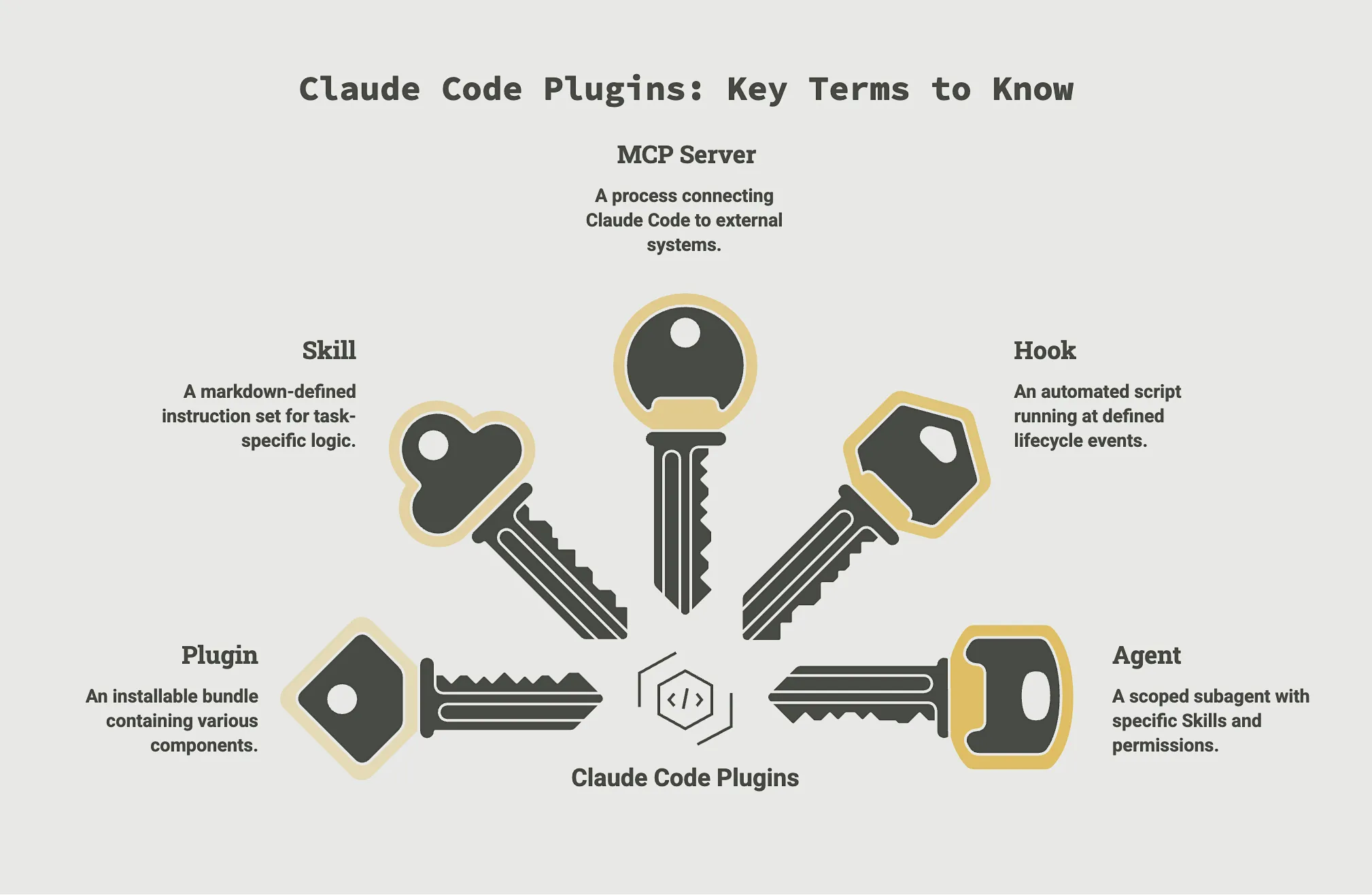
Claude Code plugins package capabilities such as Skills, MCP servers, agents, hooks, and slash commands into installable bundles, giving agents external connectivity without requiring engineers to build every integration from scratch.
They connect Claude to external systems, APIs, data sources, browsers, databases, and observability tools, filling the operational gaps that appear when moving from sandbox experiments to production AI agents.
Top Claude Code plugins include:
1. aws-agents
2. Agent SDK Dev
3. Hugging Face Skills
4. Nimble
5. Firecrawl
6. Bright Data
7. Pinecone
8. Neon
9. MongoDB
10. Playwright
11. Chrome DevTools
12. Qodo
13. PostHog
14. Datadog
15. GitHub
16. Feature Dev
17. Superpowers
18. Aikido
19. Semgrep
20. SonarQube
AI engineers are no longer just using Claude Code to write code. They are using it to build, run, and orchestrate production agents that need real infrastructure connectivity. But the base installation of Claude Code doesn't provide what agents need: access to the live web, external databases, browser environments, observability systems, and third-party APIs.
Claude Code plugins are bundled integrations that can include skills, agents, hooks, MCP servers, LSP servers, monitors, and other components. With the overall ecosystem having 32,019 active plugins, there are many to choose from. This guide breaks down 20 Claude Code plugins available through Anthropic’s plugin ecosystem across seven categories to help you select the best ones to close production capability gaps.
What are Claude Code Plugins?
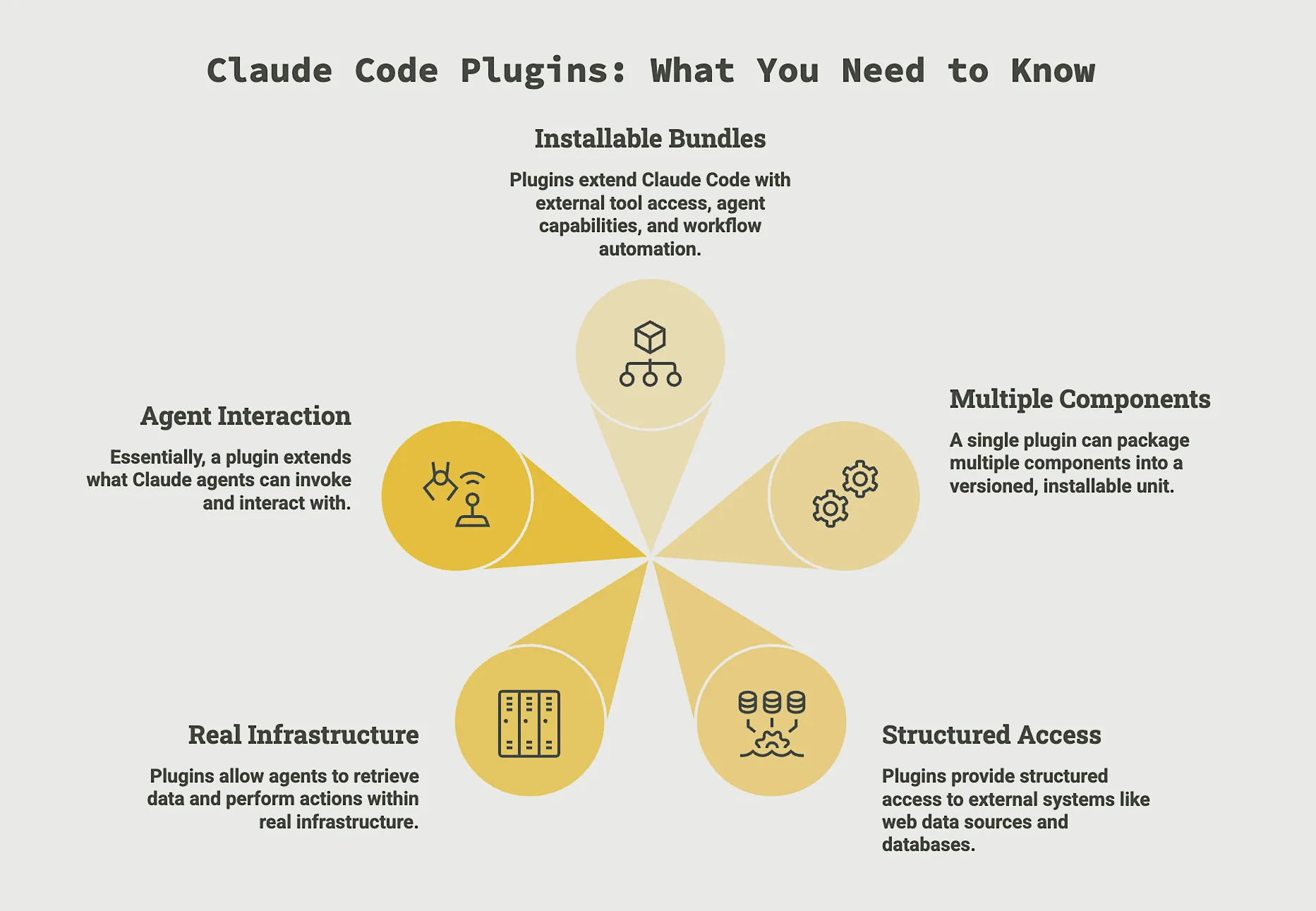
Claude Code plugins are installable bundles that extend Claude Code with external tool access, agent capabilities, and workflow automation. A single plugin can package multiple components, including Skills, MCP servers, agents, hooks, and slash commands, into a versioned, installable unit that becomes part of your Claude Code environment.
Plugins are available through the official Anthropic marketplace, with additional options available through third-party repositories and community ecosystems. They provide structured access to external systems like web data sources, databases, browser environments, observability tools, APIs, and security controls, which allows agents to retrieve data, perform actions, and operate within agent infrastructure rather than inside a chat sandbox.
Essentially, a plugin extends what Claude agents can invoke and interact with.
What problem do Claude Code plugins solve?
The base Claude Code installation does not have native access to the live web, internal databases, browser automation frameworks, or third-party systems. Without plugins, engineers must build and maintain custom integrations for every external dependency.
Plugins close that capability gap by providing standardized, supported connectors that allow agents to:
- Fetch live external data
- Execute browser or testing workflows
- Query structured databases
- Trigger downstream systems
- Monitor logs and runtime behavior
In production environments, this reduces duplicated integration work and lowers the risk of brittle, one-off tooling.
Plugins should not be treated as feature add-ons or as interchangeable with standalone MCP servers. Rather, they define the operational surface area of your agents. A plugin can bundle multiple components together, while an MCP server is only one possible component inside that bundle.
Also, Claude Code plugins are not the same as the Claude plugins used in the Claude.ai interface. They operate inside the terminal-based, agentic development environment and are designed for programmable workflows rather than conversational UX extensions.
Who are Claude Code plugins for?
Claude Code plugins are designed for AI engineers, platform engineers, and technical teams building production agents that interact with infrastructure, data systems, and external services. They are especially relevant when agents must operate against live inputs, structured outputs, or repeatable execution paths.
They aren’t necessary for simple code generation tasks, isolated experimentation, or one-off prompts that don’t need external system connectivity. If an agent never leaves the context window, or if a single direct API integration is simpler to maintain, a plugin may add unnecessary overhead.
It’s critical to understand that not every plugin in community marketplaces meets the same quality bar. Anthropic’s official marketplace is curated, but teams should still review each plugin’s contents, permissions, MCP servers, and dependencies before use.
Top Picks at a Glance by Category
Agent / AI Development Plugins
- Recommended for building and deploying agents on AWS infrastructure: aws-agents
Web Data & Scraping Plugins
- Recommended for real-time web data and structured extraction: Nimble
Database Plugins
- Recommended for vector search and RAG applications: Pinecone
Browser Automation & Testing Plugins
- Recommended for end-to-end browser testing and automation: Playwright
Observability & Monitoring Plugins
- Recommended for logs, metrics, and traces in production: Datadog
Skills, Actions & Integrations Plugins
- Recommended for repository management and PR workflows: GitHub
Security Plugins
- Recommended for enterprise-grade code quality and security gates: SonarQube
Top 20 Claude Code Plugins by Use Case
A wide variety of Claude Code plugins are available across the ecosystem, spanning use cases from convenience utilities to niche workflows. This guide focuses specifically on seven plugin categories that close production capability gaps. They are the integrations AI engineers rely on when turning Claude Code agents into operational systems.
Agent / AI Development Plugins
Agent / AI Development Plugins are frameworks, SDKs, and scaffolding plugins that support building, evaluating, and deploying AI agents and models. These tools help engineers structure agent logic, enforce output schemas, test behavior, and manage deployment pipelines rather than relying on ad-hoc experimentation.
1. aws-agents: Recommended for building and deploying agents on AWS infrastructure
What it does:
aws-agents provides tooling and integration patterns for building and deploying Claude-based agents within AWS environments. It enables agents to interact with AWS infrastructure and services directly from Claude Code.
Best use cases:
- Suited for AI engineers operating inside AWS-native stacks.
- Teams deploying agents that need to access AWS storage, compute, or event-driven workflows in production.
Key features:
- AWS service integration patterns
- Deployment scaffolding
- IAM-aware execution configuration
- Infrastructure-aligned agent templates
Pricing:
Free to install
2. Agent SDK Dev: Recommended for developing with Anthropic's Agent SDK
What it does:
Agent SDK Dev helps engineers scaffold and develop agents using Anthropic’s Agent SDK. It helps structure agent logic and execution workflows within Claude Code.
Best use cases:
- Engineers building structured, multi-step agents rather than relying on simple prompt flows.
- Teams developing reusable agent architectures that need consistency across environments.
Key features:
- Agent scaffolding templates
- SDK-aligned workflow configuration
- Structured invocation patterns
- Cross-environment compatibility
Pricing:
Free to install
3. Hugging Face Skills: Recommended for AI/ML model training and dataset workflows
What it does:
Hugging Face Skills connects Claude Code workflows to Hugging Face models and datasets. It supports model training, evaluation, and dataset operations from within agent workflows.
Best use cases:
- ML engineers working with model experimentation and dataset pipelines.
- Useful when Claude agents need to interact with training data or model artifacts programmatically.
Key features:
- Dataset access workflows
- Model integration support
- Evaluation pipeline compatibility
- Structured dataset ingestion
Pricing:
Free to install, and some Hugging Face workflows, including cloud GPU training, may require a Hugging Face account and separate compute costs.
Web Data & Scraping Plugins
This category includes plugins that provide structured access to live public web data through search, extraction, crawling, and normalization. They give Claude Code agents access to live web data, allowing them to act on real-time signals instead of relying solely on static data context.
4. Nimble: Recommended for real-time web data and structured extraction
What it does:
Nimble gives Claude Code structured access to live public web data through search, extraction, crawling, site mapping, and reusable Web Search Agent workflows. The plugin bundles guided skills with Nimble’s MCP server connection, so AI engineers can run web data tasks from Claude Code without building custom scraping infrastructure.
Best use cases:
- AI engineers whose agents depend on fresh external data, such as pricing, inventory, product listings, market signals, reviews, or web content.
- Production workflows where agents need structured outputs from live websites rather than stale indexed snippets or unstructured page text.
Key features:
- Live web search and extraction
- Site crawling and URL mapping
- JavaScript rendering support
- Structured outputs for downstream agent workflows
- Reusable Web Search Agent creation and execution
Pricing:
Free to install, and requires a Nimble workspace connection through OAuth, MCP, or API key, depending on setup.
5. Firecrawl: Recommended for page interactions and full-site crawling
What it does:
Firecrawl enables website crawling and page-level extraction directly from Claude Code. It supports structured scraping across single pages or full domains.
Best use cases:
- Useful for engineers building ingestion pipelines for documentation, knowledge bases, or indexed content.
- Good fit for documentation ingestion, knowledge base crawling, site mapping, and structured extraction workflows where teams want clean markdown or schema-based outputs.
Key features:
- Recursive site crawling
- Page scraping commands
- Structured output formats
- URL discovery utilities
Pricing:
Free to install, and requires a Firecrawl API key for use.
6. Bright Data: Recommended for large-scale data collection with bot detection bypass
What it does:
Bright Data provides infrastructure for large-scale web data collection, including proxy routing and anti-bot handling. It enables high-volume scraping from distributed geographies.
Best use cases:
- Teams needing large-scale data collection across multiple regions or platforms
- Typically used when scraping at volume, or when bypassing bot detection mechanisms is required.
Key features:
- Proxy network support
- Geo-targeted data access
- Anti-bot mitigation
- Structured extraction pipelines
Pricing:
Free to install, and requires access to Bright Data services for data collection workflows.
Database Plugins
These integrations connect Claude Code to relational, vector, and document databases for querying, storage, and semantic retrieval. The plugins allow agents to work against production data stores directly, reducing the need for manual data handoffs or intermediate scripts.
7. Pinecone: Recommended for vector search and RAG applications
What it does:
Pinecone connects Claude Code to Pinecone vector databases for embedding storage and similarity search. It supports retrieval-augmented generation workflows.
Best use cases:
- Engineers building RAG pipelines or semantic search applications.
- Teams working with embeddings and vector-based retrieval in production systems.
Key features:
- Vector indexing
- Similarity search
- Scalable embedding storage
- Low-latency retrieval
Pricing:
Free to install
8. Neon: Recommended for serverless Postgres database management
What it does:
Neon integrates serverless PostgreSQL database connectivity into Claude Code. It allows Claude Code to manage Neon projects and databases through the neon-postgres agent skill and Neon MCP Server.
Best use cases:
- Teams running structured relational workloads.
- Developers who want Claude Code workflows connected to Neon-managed Postgres environments for database management and querying.
Key features:
- Serverless Postgres integration
- Branch-based database environments
- SQL querying
- Schema inspection
Pricing:
Free to install
9. MongoDB: Recommended for document database workflows and queries
What it does:
MongoDB provides connectivity to MongoDB databases for document-based querying and storage. It enables Claude Code to connect to databases, explore data, manage collections, optimize queries, generate MongoDB-related code, and apply best-practice workflows.
Best use cases:
- Engineers using document-first application architectures.
- Supports workflows where agents must query flexible schemas or unstructured data.
Key features:
- Document queries
- Aggregation pipelines
- Atlas integration
- Structured data operations
Pricing:
Free to install
Browser Automation & Testing Plugins
Plugins of this type enable Claude Code to control live browser sessions for navigation, form interaction, UI validation, and page inspection. They are used to automate testing workflows and verify frontend behavior in development and CI environments.
10. Playwright: Recommended for end-to-end browser testing and automation
What it does:
Playwright enables automated browser interaction for UI testing and scripted navigation. It allows agents to control browser sessions programmatically.
Best use cases:
- QA engineers and frontend developers embedding browser testing into CI workflows
- Used when validating user journeys or verifying UI changes programmatically.
Key features:
- Automated navigation
- Form submission testing
- Screenshot capture
- Cross-browser support
Pricing:
Free to install
11. Chrome DevTools: Recommended for live browser debugging and performance analysis
What it does:
Chrome DevTools connects Claude Code to Chrome DevTools for performance inspection and debugging. It allows inspection of network requests, logs, and rendering metrics.
Best use cases:
- Frontend engineers diagnosing performance bottlenecks or runtime errors
- Supports debugging workflows without leaving Claude Code.
Key features:
- Performance tracing
- Network inspection
- Console log access
- DOM inspection
Pricing:
Free to install
12. Qodo: Recommended for shift-left code review before commit
What it does:
Qodo brings AI-assisted code generation, review, testing, and quality workflows into Claude Code. It integrates validation workflows directly into development cycles.
Best use cases:
- Engineering teams that want AI-assisted development, testing, and code quality workflows integrated directly into Claude Code
- Situations where AI-generated code must be validated before merging
Key features:
- AI-assisted code generation
- Automated code review
- Test generation and validation
- Documentation assistance
Pricing:
Free to install
Observability & Monitoring Plugins
These tools connect Claude Code to logging, error tracking, and monitoring systems. They allow engineers to inspect runtime behavior, debug failures, and integrate agents into existing observability stacks across staging and production.
13. Datadog: Recommended for logs, metrics, and traces in production
What it does:
Datadog connects Claude Code to Datadog for log, metrics, and trace inspection. It enables observability workflows from within agent sessions.
Best use cases:
- Platform and DevOps teams monitoring production systems
- Helps engineers debug issues affecting agent-backed services.
Key features:
- Log querying
- Metrics dashboards
- Distributed tracing
- Alert inspection
Pricing:
Free to install
14. PostHog: Recommended for product analytics and feature flag management
What it does:
PostHog integrates product analytics and event tracking workflows into Claude Code. It allows agents to access product analytics, feature flags, experiments, session data, dashboards, and related product intelligence workflows.
Best use cases:
- Product and engineering teams monitoring agent behavior within user-facing applications
- Supports analytics-driven iteration and feature rollouts.
Key features:
- Event tracking
- Feature flag management
- Dashboard querying
- Experiment metrics
Pricing:
Free to install
Skills, Actions, & Integrations Plugins
These plugins let Claude Code interact with external engineering systems or apply structured development workflows such as repository management, feature planning, code review, debugging, and TDD. They help agents move beyond passive analysis by giving them repeatable workflows for taking action in repositories, planning features, reviewing code, and improving implementation quality.
15. GitHub: Recommended for repository management and PR workflows
What it does:
GitHub enables repository interaction, issue management, and pull request workflows from Claude Code. It integrates version control operations directly into Claude Code.
Best use cases:
- Engineering teams automating PR creation and issue tracking.
- Agents participating in code review or workflow automation.
Key features:
- PR creation
- Issue management
- Branch operations
- CI trigger integration
Pricing:
Free to install
16. Feature Dev: Recommended for structured multi-agent feature development
What it does:
Feature Dev supports structured multi-agent workflows for feature development. It guides feature work through a structured 7-phase workflow using specialized agents for code exploration, architecture design, and review.
Best use cases:
- Teams coordinating complex development workflows across agents
- Feature execution pipelines that need a structured process from exploration through code review
Key features:
- 7-phase feature development workflow
- Codebase exploration agent
- Architecture design agent
- Code review agent
- Quality review checkpoints
Pricing:
Free to install
17. Superpowers: Recommended for TDD, debugging, and core Claude Code skill patterns
What it does:
Superpowers enhances Claude Code with a structured skills framework for brainstorming, subagent-driven development, debugging, TDD, and skill authoring. It focuses on structured development routines.
Best use cases:
- Engineers enforcing consistent development patterns
- Supports structured debugging and iterative coding cycles
Key features:
- Brainstorming workflows
- TDD development cycles
- Systematic debugging methodology
- Subagent-driven development with code review
- Skill authoring support
Pricing:
Free to install
Security Plugins
Static analysis and vulnerability scanning security plugins audit code for risks, exposed secrets, infrastructure misconfigurations, and unsafe patterns. These integrations help agent-generated or agent-modified code meet security and quality standards before reaching production.
18. SonarQube: Recommended for enterprise-grade code quality and security gates
What it does:
SonarQube provides enterprise-grade code quality and security analysis for Claude Code workflows. It enforces quality gates before merging or deployment.
Best use cases:
- Organizations requiring formalized code quality enforcement
- Large-scale engineering teams with compliance requirements.
Key features:
- Code quality scoring
- Vulnerability detection
- Quality gates
- CI integration
Pricing:
Requires a SonarQube instance, including Server, Cloud, or Community Build. Agentic Analysis requires SonarQube Cloud with the relevant features enabled.
19. Aikido Security: Recommended for SAST, secrets detection, and IaC scanning
What it does:
Aikido performs static application security testing and secrets detection during development. It scans code for vulnerabilities during development.
Best use cases:
- Designed for security-conscious engineering teams
- Helps validate agent-generated code before deployment.
Key features:
- SAST scanning
- Secrets detection
- Infrastructure scanning
- CI integration
Pricing:
Free to install
20. Semgrep: Recommended for scanning agent-generated code for vulnerabilities
What it does:
Semgrep scans code for security vulnerabilities and unsafe patterns using rule-based detection. It supports multiple languages and custom rules.
Best use cases:
- Teams auditing AI-generated code or enforcing secure coding standards.
- Integrates into CI pipelines for automated scanning.
Key features:
- Pattern-based scanning
- Custom rule support
- CI/CD integration
- Multi-language support
Pricing:
Free to install, with an Enterprise tier available.
How We Evaluated These Tools
We evaluated these Claude Code plugins using consistent, verifiable criteria so AI engineers can assess fit without marketing noise. Our review is based on publicly available information as of 1 June 2026.
What We Reviewed:
- Official Anthropic marketplace listings and technical documentation
- Plugin implementation guides and configuration details
- GitHub repositories and publicly available development resources where available
- Product documentation and publicly available information about ongoing development where available
- Security and compliance disclosures when applicable
- Credible independent reviews or ecosystem commentary, when relevant
How We Evaluated These Plugins:
We limited inclusion to Claude Code plugins listed in the official Anthropic marketplace, which applies compatibility, packaging, and security requirements before publication. Within that set, we assessed each plugin against consistent engineering-focused criteria:
- Core capability and technical depth
- Clear relevance to production AI engineering workflows
- Installation complexity and integration model within Claude Code
- Documentation quality, implementation clarity, and publicly available signals of ongoing product support where available
We did not perform hands-on testing for every plugin. If functionality was not clearly documented, or if sources conflicted, we avoided making definitive claims. Where pricing or implementation constraints were unclear, we explicitly noted the absence of information rather than inferring details.
Build the Right Execution Layer with Claude Code Plugins
Claude Code plugins define whether your agent can operate reliably outside a sandbox. The official Anthropic marketplace is the safest starting point because it sets baseline compatibility, packaging, and security requirements. But marketplace vetting only solves part of the problem. For many teams, the first capability gap is live web access: without fresh external signals, agents operate on static context that limits relevance and accuracy.
Nimble closes the live web gap directly, combining real-time web search, extraction, crawling, and structured data retrieval through a single Claude Code integration. Built for AI-native workflows, it includes JavaScript rendering, managed browser execution and access infrastructure, retry logic, and production-grade data handling out of the box. For AI engineers, reliable access to fresh, structured public web data is foundational.
Book a demo to see how Nimble adds fresh, structured public web data to your AI agent execution layer.
FAQ
Answers to frequently asked questions
.webp)
.webp)
.avif)
.webp)
.webp)
.webp)
.webp)