









Nimble x Snowflake Cortex Agents: Live Web Search, Called from SQL
How to call Nimble Search and Extract from any Snowflake SQL, plus a pre-built Cortex Agent that uses both.


.avif)
Ilan Chemla
Nimble x Snowflake Cortex Agents: Live Web Search, Called from SQL
How to call Nimble Search and Extract from any Snowflake SQL, plus a pre-built Cortex Agent that uses both.
Ilan Chemla


Most popular articles



Get structured, reliable data for your stack.

Snowflake Cortex Agents can plan, reason, and act on the data inside your warehouse with remarkable precision. This integration gives them that same precision over the live web: current pricing, recent news, fresh SERP data, pulled seamlessly at query time and composable with the tables you already have.
One install, two surfaces: a pre-built Cortex Agent for work that needs judgment, and scalar UDFs you can call inline from any SQL for deterministic pipelines. Same primitives under the hood. Five minutes from ACCOUNTADMIN.
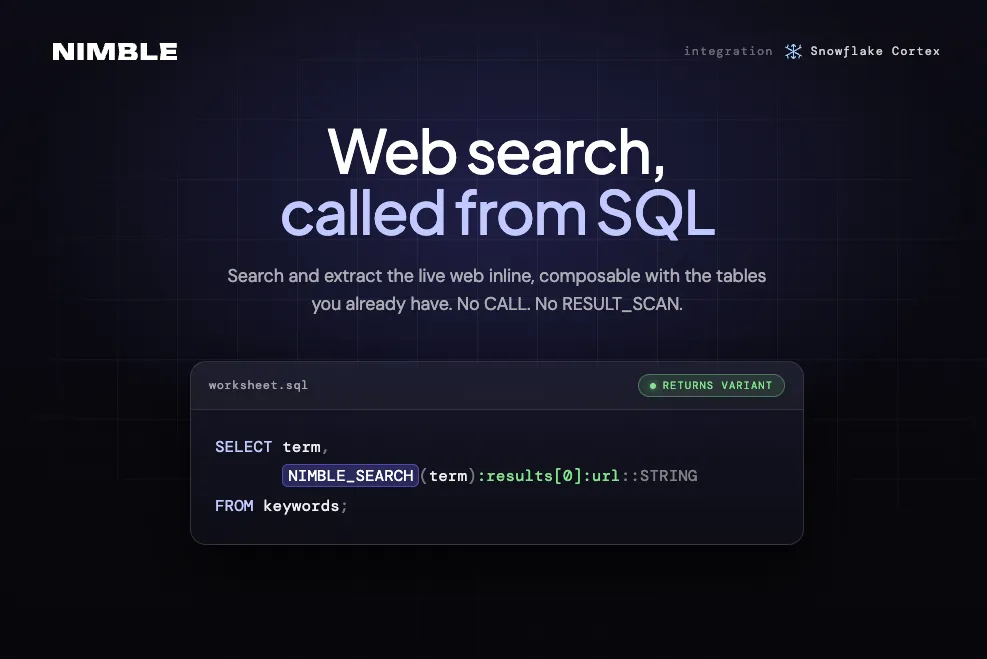
At a glance, NIMBLE_SEARCH and NIMBLE_EXTRACT ship as scalar Python UDFs returning VARIANT, composable with FLATTEN, joins, views, and dbt models like any native function, with no CALL or RESULT_SCAN required. This post walks through how to set them up, how the pre-built Cortex Agent uses both, and two production-ready workflows you can run today.
How Cortex Agents fit in
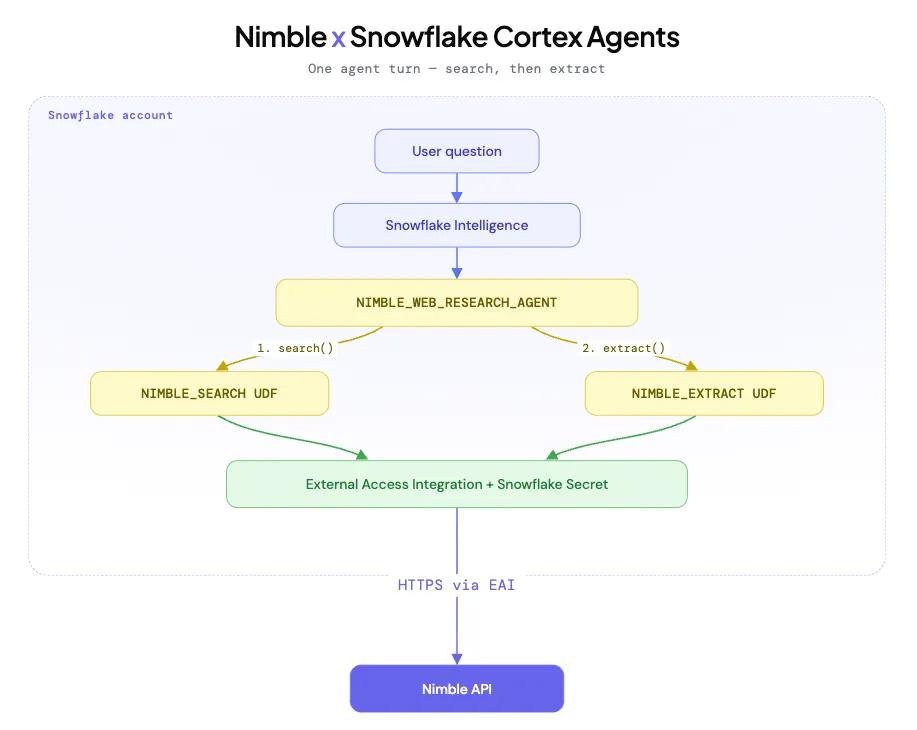
Snowflake Cortex Agents is the runtime behind Snowflake Intelligence. Agents plan, call tools, answer with citations. All inside the account perimeter. This integration registers an agent (NIMBLE_WEB_RESEARCH_AGENT) that uses Nimble for two of those tools.
What ships in one install
One install gives you a conversational research agent for open-ended web investigations and two SQL-native UDFs for deterministic pipelines — everything you need to bring live web data into Cortex workflows without building any custom infrastructure.
You get:
NIMBLE_WEB_RESEARCH_AGENT. A Cortex Agent you can chat with in Snowflake Intelligence, or call from the REST API. It plans, runsnimble_search, picks URLs, runsnimble_extract, answers with citations.NIMBLE_SEARCHandNIMBLE_EXTRACT. Scalar Python UDFs returning VARIANT. Inline in SELECT, joins, views, dbt models, scheduled tasks. NoCALL, noRESULT_SCAN, noPARSE_JSON.
An isolated footprint. Dedicated role, database, schema, and XSMALL warehouse for agent traffic. Outbound HTTPS gated by Snowflake’s External Access Integration. The Nimble API key lives in a Snowflake Secret. Only the calls you authorized leave the account.
Try the agent in Snowflake Intelligence
The fastest demo is the UI:
- From Snowsight, open AI & ML → Snowflake Intelligence.
- Pick
NIMBLE_WEB_RESEARCH_AGENTin the agent picker. The two tools (nimble_search,nimble_extract) show up in the tool tray.
Pick a prompt that needs both. Search alone won’t get you to clean page content. For example: “Find the most recent Snowflake AI Pulse, then pull the full text so I can scan the new Cortex features.”
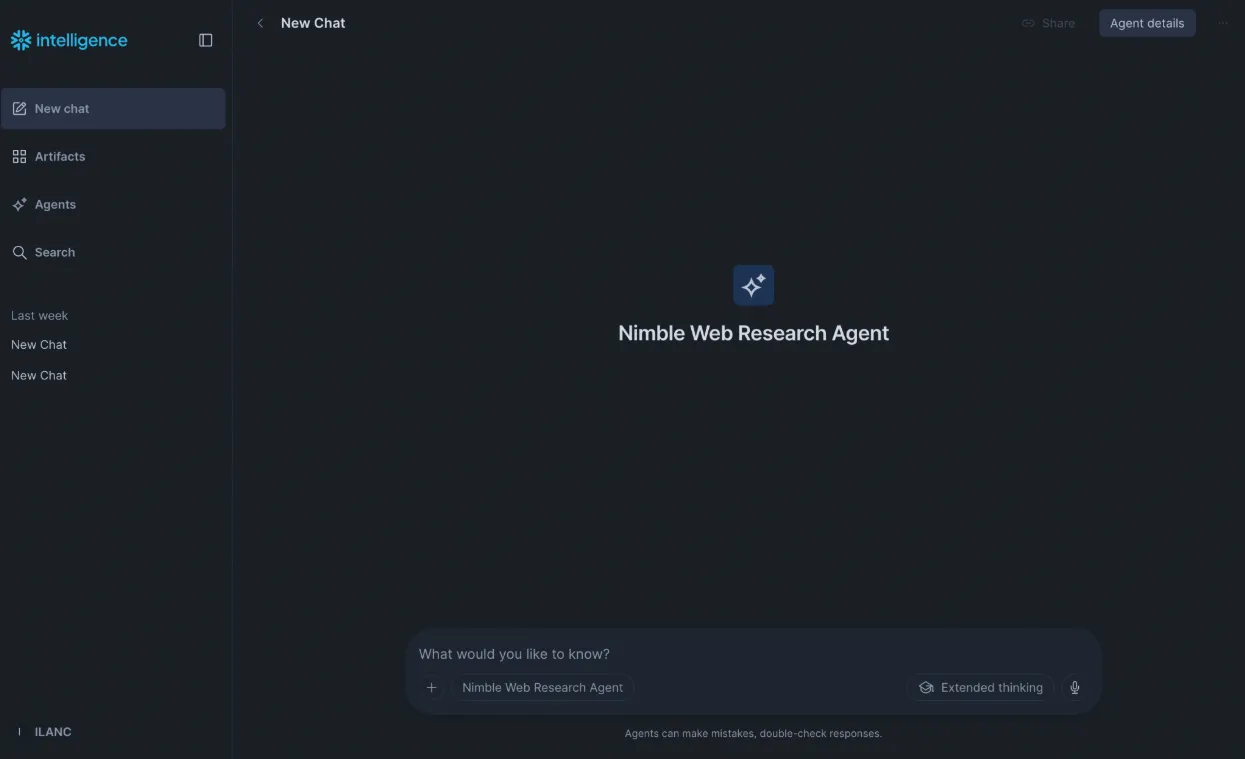
The agent calls nimble_search, picks the URL, calls nimble_extract, and answers with the citation and the extracted markdown. Want to drive it from code instead? The same agent is reachable via the Cortex Agents REST API. POST a message to /api/v2/databases/{db}/schemas/{schema}/agents/NIMBLE_WEB_RESEARCH_AGENT:run.
Good for Streamlit, scheduled tasks, or wiring the agent into an external orchestrator.
Workflow 1: Account intel, agent-led
The agent earns its keep when the work needs judgment. Which URL is the right one. How to summarize a page. When the brief is good enough.
Take an account watchlist. CRM exports a few hundred companies your sales team wants context on. Each morning you want a one-paragraph brief per company: recent funding, leadership changes, product launches. With citations.
Run it as a Snowflake task. For each row in ACCOUNTS_WATCHLIST, a stored procedure POSTs the company name to the Cortex Agents REST API. The agent plans the work. It calls nimble_search for recent news, picks the 2-3 best URLs, calls nimble_extract on each, and returns a structured brief. The procedure writes one row per company per day into ACCOUNT_INTEL_DAILY.
-- Daily task. Calls the wrapping stored proc for every account.
CREATE OR REPLACE TASK refresh_account_intel
 WAREHOUSE = NIMBLE_AGENT_WH
 SCHEDULE = 'USING CRON 0 6 * * * UTC'
AS
 CALL NIMBLE_INTEGRATION.RECIPES.REFRESH_ACCOUNT_INTEL();
The output table has one row per company per day. Company name. Refresh timestamp. The agent’s brief as a string. The citations array as VARIANT. CRM reads it. The sales team’s morning view reads it. So does whatever alerting you wire on top.
The agent does the judgment work. The Snowflake task does the orchestration. You couldn’t get this with deterministic SQL alone. The agent’s planning and tool calls are the point.
Workflow 2: SERP rank tracking, UDF-driven
Workflow 1 needed judgment. This one doesn’t. SERP rank tracking is the deterministic shape: same SQL, every keyword, every day.
A marketing team keeps a keyword list in Snowflake. Terms they’re trying to rank for. Terms their content covers. Terms tied to specific campaigns. They want a daily snapshot of how those SERPs look, joined to their own content and traffic data.
Start with a keyword table and two derived tables: one with the top result inlined per term, one flattened to one row per (term, result). That’s the prototype:
USE DATABASE SANDBOX;
USE SCHEMA PUBLIC;

CREATE OR REPLACE TABLE my_search_terms (term STRING NOT NULL);

INSERT INTO my_search_terms (term) VALUES
 ('best espresso machines 2026'),
 ('snowflake external functions tutorial'),
 ('nimble web search api'),
 ('claude opus 4.7 release notes'),
 ('lithium iron phosphate battery suppliers');

-- One row per term, with its top result inlined
CREATE OR REPLACE TABLE my_search_terms_enriched AS
SELECT
 t.term,
 NIMBLE_INTEGRATION.TOOLS.NIMBLE_SEARCH(t.term, 3) AS nimble_response,
 nimble_response:results[0]:url::STRING AS top_url,
 nimble_response:results[0]:title::STRING AS top_title,
 nimble_response:results[0]:description::STRING AS top_description
FROM my_search_terms t;

-- Flattened: one row per (term, result), with rank
CREATE OR REPLACE TABLE my_search_results_flat AS
SELECT
 t.term,
 r.value:metadata:position::INTEGER AS result_rank,
 r.value:url::STRING AS url,
 r.value:title::STRING AS title,
 r.value:description::STRING AS description
FROM my_search_terms t,
 LATERAL FLATTEN(input => NIMBLE_INTEGRATION.TOOLS.NIMBLE_SEARCH(t.term, 5):results) r;

SELECT * FROM my_search_terms_enriched;
SELECT * FROM my_search_results_flat ORDER BY term, result_rank;
The production version adds history, ownership, and a schedule:
NIMBLE_SEARCHper keyword, daily, into a dated snapshot table.- A view (
v_owned_rank) joins to your domain list. Shows where (and whether) your domain lands in the top 10 per keyword. - A second view (
v_rank_delta) computes day-over-day rank changes per (keyword, url). The content team sees what moved overnight. NIMBLE_EXTRACTpulls the top-ranking page per keyword once a week. Feed it into Cortex Search as a freshness benchmark, or score it against your own content depth.- A Snowflake task runs the refresh every morning.
CREATE OR REPLACE TASK refresh_serp_snapshots
 WAREHOUSE = NIMBLE_AGENT_WH
 SCHEDULE = 'USING CRON 0 6 * * * UTC'
AS
 CALL NIMBLE_INTEGRATION.RECIPES.REFRESH_SERP_SNAPSHOTS();
Tracking across geographies? Pass country and locale to NIMBLE_SEARCH per row. The US version of each keyword and the UK version land in separate snapshot rows. Joinable by keyword and time. A few hundred keywords refreshed daily fits comfortably on XSMALL plus a standard Nimble tier. Both sides scale independently.
No agent in the loop here. The UDFs alone are enough. SERP data sits next to content metadata and traffic. Joinable. Queryable. Refreshed nightly.
Under the hood: the UDFs in raw SQL
Built either workflow above and want to see what the UDFs actually return? Outside an agent, outside a stored procedure, just raw SQL in a worksheet. Here’s the shape. Both NIMBLE_SEARCH and NIMBLE_EXTRACT return VARIANT. Callers navigate the response with :field syntax. The functions are scalar, so they compose with FLATTEN, joins, and CREATE TABLE AS like any other UDF.
That last property is what makes the integration different from a generic external API call. Most “call an API from Snowflake” patterns are stored procedures. You CALL them. Get a job ID. Then RESULT_SCAN and PARSE_JSON to actually use what came back. Scalar UDFs returning VARIANT skip all of that. You navigate the response inline. You join the result. You drop it in a view.
That’s the underlayer both workflows sit on. One install. One warehouse. One secret. Two shapes that build on the same primitive.
Why staying inside the account matters
Both workflows run inside your Snowflake account. That’s not a deployment detail. It’s what makes either of them production-grade.
Governance follows the same role and grant model as any other UDF. nimble_role carries SNOWFLAKE.CORTEX_USER. Grantees can invoke the agent with no extra Cortex grants. The agent itself can be pre-approved in shared Snowflake Intelligence workspaces.
Cost attribution is clean. The dedicated NIMBLE_AGENT_WH separates agent traffic from analytics workloads. Bump it to SMALL or MEDIUM for a heavy batch task, then suspend.
Egress is gated. The External Access Integration locks outbound HTTPS to one host. The API key lives in a Snowflake Secret. Rotate it like any other.
Where to start
- Setup walkthrough and full UDF specs: docs.nimbleway.com/integrations/partnerships/snowflake/cortex-agents
- Every SQL file referenced here, plus the cookbook recipes: github.com/Nimbleway/cookbook (snowflake/)
- Free Nimble API key: online.nimbleway.com/signup
Run 01_setup.sql. Ask the agent your first question. Then go look at what’s already in your warehouse and think... which of those tables would be more useful if you could join in live web data?
FAQ
Answers to frequently asked questions
.png)

%20(1).png)
.webp)
.webp)
.webp)
.webp)