









Your Agent Only Has Half of the Picture Without the Web
Unify your internal data with external context


Adriel Bergman
Your Agent Only Has Half of the Picture Without the Web
Unify your internal data with external context
Adriel Bergman


Most popular articles



Get structured, reliable data for your stack.
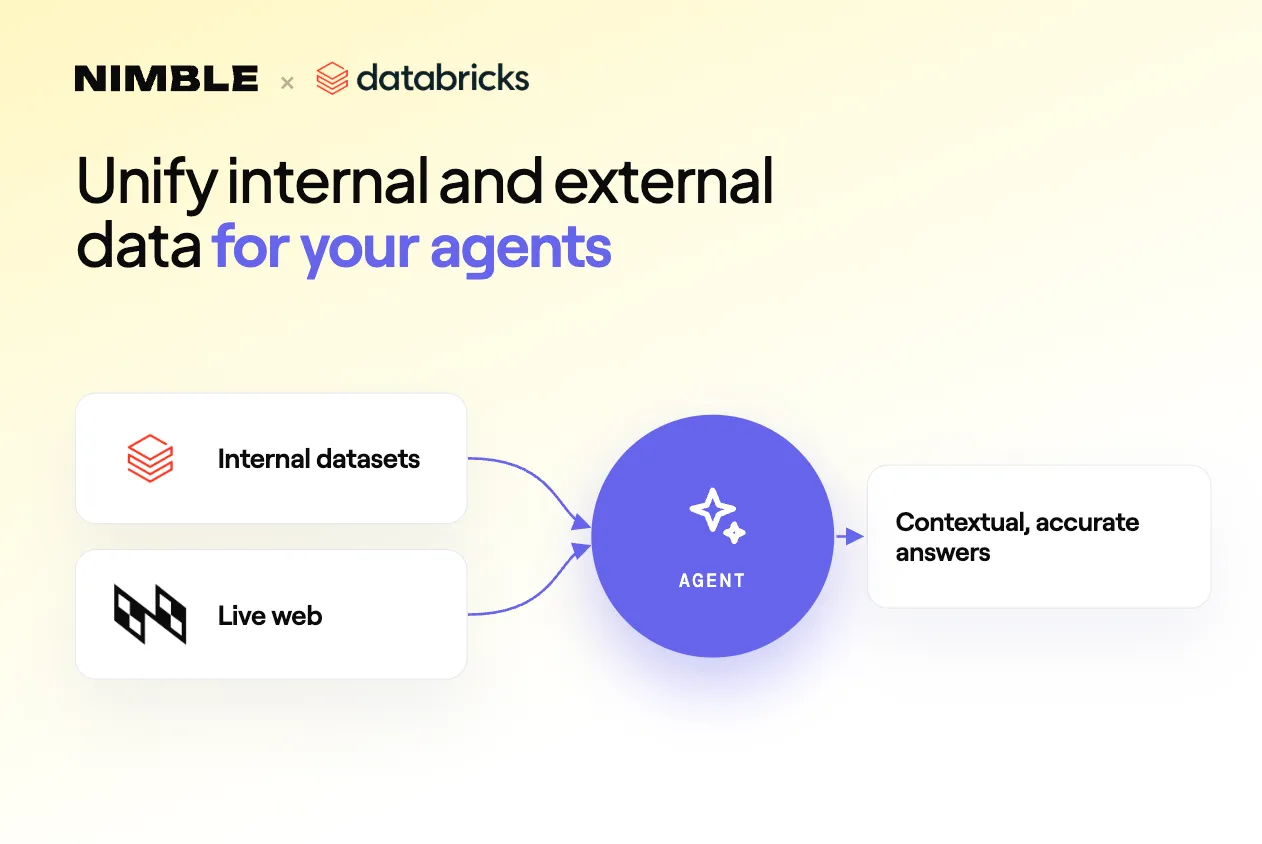
Most AI agents know your business inside out but go blind the moment a question touches the outside world. This post covers how connecting your agent to live web intelligence that's grounded in your internal context turns it from a reporting tool into a true decision-making partner.
When your own data isn't enough
Most enterprises running an AI agent on their internal system of records tend to hit the same wall. The agent is impressive working with your data; ask it why a sales metric dropped and it will query your pipeline data, segment by region, cross-reference with product usage, and give you a structured breakdown.
But the moment the question extends past your internal knowledge, what's happening in the market?, the agent either doesn't know or worse, it makes things up. So you end up asking your agent questions about internal data while searching the web yourself, and bringing the data back to complete the analysis. This is not because your agent isn't smart enough, it's because your agent has a data access problem.
However, if you give your agent access to the web and combine that with its knowledge of your company, it will be able to make contextualized searches that will bring back specific and relevant information to the question you asked. For example, if you want to ask "Why are my sales down in the healthcare vertical?":
- without internal context, a web search for "healthcare sales trends" would return stale generic industry noise.
- With internal context, your agent first queries your sales tables to identify which products are down, which accounts churned, which sub-vertical (hospital systems vs. health tech vs. pharma) is the problem. Now the agents query becomes: "hospital procurement freeze Q1 2026" or "health system budget cuts 2026". The search is specific, fills in the missing gaps and makes the result actionable.
This is a consistent pattern: internal context transforms web search from broad to precise. Web intelligence transforms internal data from historical to current.
Our Setup: Databricks Genie One as the Master Agent
We chose Databricks Genie One for this integration because it's where we store our data. Genie One sits on top of Unity Catalog, has native access to our Delta tables and Iceberg lakehouses and understands our schema context.
The only thing missing was access to the web, and we gave it that with Nimble's MCP server. We installed it as a Unity Catalog connection, enabled it in Genie's Set Connections panel, and were off running.
The Architecture
For web search to work effectively with your internal context you need a master agent that can understand and orchestrate the full process.
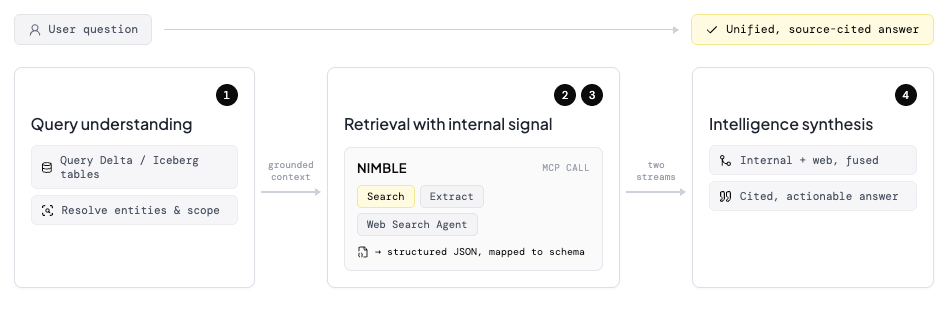
Step 1: Query Understanding
When a user submits a question, the agent first grounds it in your internal ontology. What does "competitor" mean in your schema? Which accounts are in the "healthcare vertical"? What's the product definition of "enterprise tier"? This happens through queries against your internal tables, and it fundamentally shapes the web search that follows. You're not sending the user's raw question to Nimble. You're sending a contextualized, entity-resolved version of it.
Step 2: Retrieval with Internal Signal
Once the internal context is gathered, the master agent uses this context as guidance to send the queries it needs to Nimble to perform web retrieval. The search queries are constructed from real entity names, real product categories or real account names, making them highly relevant to your business. In addition, Nimble's semantic understanding of web structure maps the results into clean, structured JSON (not raw HTML noise) so the agent can reason over them directly.
Step 3: Intelligence Synthesis
Once the contextualized results are retrieved from the web, the agent synthesizes the two streams: what your internal data shows and what Nimble's live web intelligence adds. The output isn't a list of web results appended to a query result. It's a unified answer that draws on both sources and cites them.
What the Integration Looks Like
Nimble connects to Genie One via its MCP server, installed as a Unity Catalog connection through the Databricks Marketplace. Once it's enabled in Genie's Set Connections panel, no additional code is needed, Genie reads Nimble's tool descriptions and decides which tool to call based on the question.
Ask Genie a question that touches the open web, and here's what happens behind the scenes:
- Genie queries your internal tables to resolve the entities and context behind the question
- It constructs a precise, context-informed search query from what it found
- It calls the right Nimble tool: search, extraction, or a purpose-built Web Search Agent
- It synthesizes both streams into a unified, source-cited answer
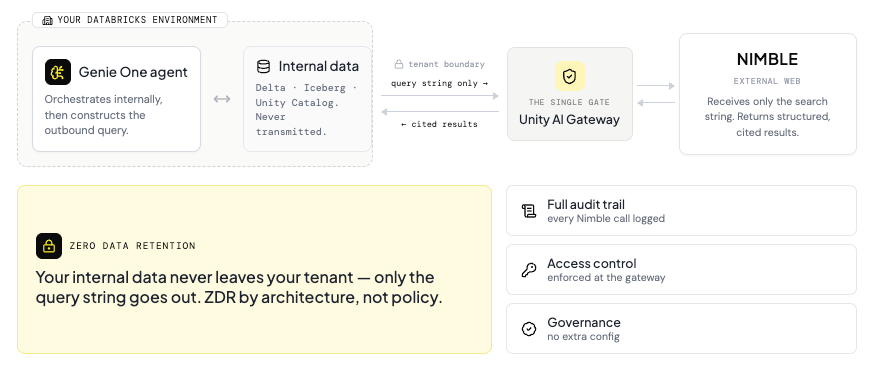
Every one of those Nimble calls routes through Unity AI Gateway, which means full audit trail, access control, and governance, out of the box, without any extra configuration. Your internal data never leaves your tenant, and any data Nimble retrieves is automatically treated like any other data in your environment. The only outbound call is the search query string itself, sent from your Databricks environment to Nimble's infrastructure. Results come back structured and cited.
Why Nimble, Not "Just Web Search"
The obvious question: why not use a generic search API?
The answer comes down to what happens after retrieval. General web search returns ten blue links, each with noisy HTML data dumps your agent has to parse and clean before it can reason over it. Nimble returns structured, semantic intelligence, entities extracted, mapped to schema, formatted for downstream consumption. When Nimble returns results about a competitor, it doesn't return an HTML page. It returns a structured object: name, category, recent announcement, URL, timestamp. The agent can query that object, filter it, join it against internal data. It's a first-class data citizen.
Try It
The integration is available now through the Databricks Marketplace. Install the Nimble MCP connection, enable it in Genie One, and start asking questions that require both your data and the world.
If you want to replicate this integration in your environment, see the full walkthrough in our docs and get started with Nimble's MCP for Databricks here.
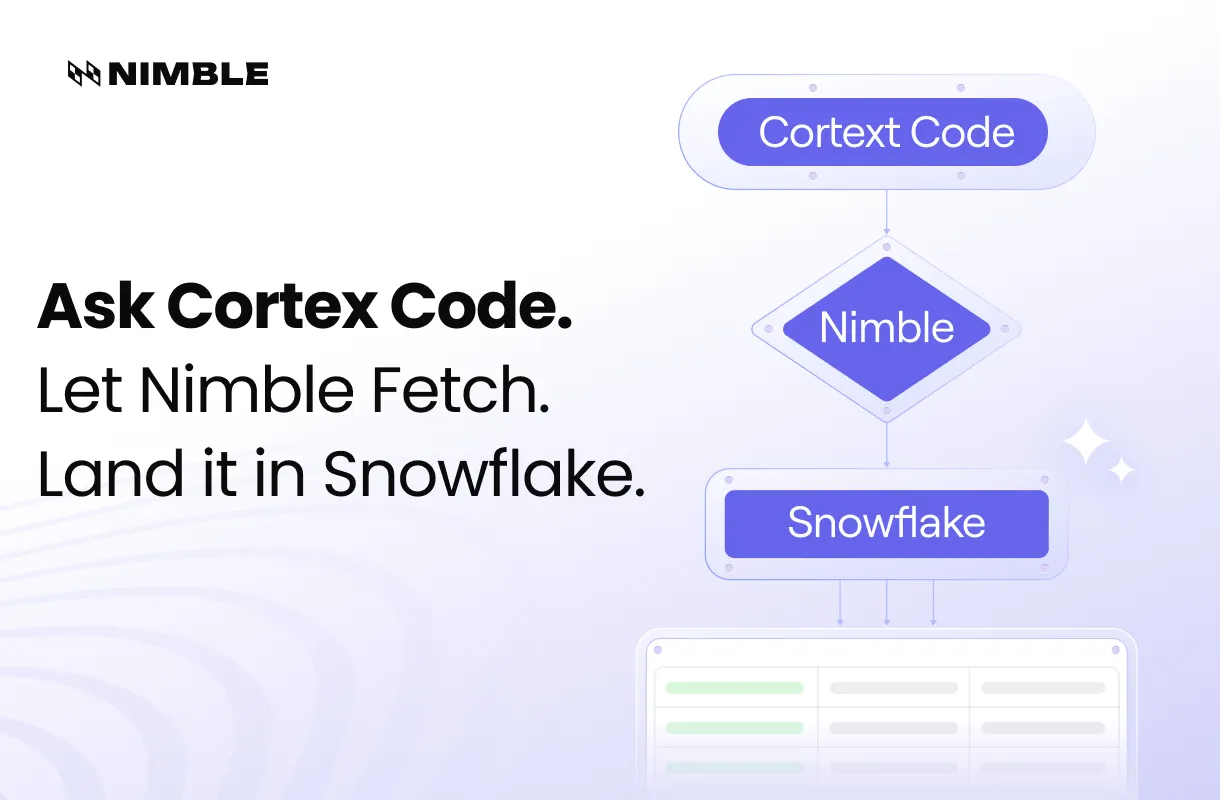
Learn about a very similar integration we have with Snowflake's Cortex Code here.
If you're building on other Master Agents and want to discuss adapting the pattern, let us know. When these agents have the web at their fingertips, the opportunities they unlock can be mind boggling!
FAQ
Answers to frequently asked questions

.png)
.avif)
.webp)
.webp)
.webp)