









Server-Sent Events vs. WebSockets: What Is the Difference? [2026 Guide]


.avif)
Ilan Chemla
![Server-Sent Events vs. WebSockets: What Is the Difference? [2026 Guide]](https://cdn.prod.website-files.com/699c65d475d592ff4cf9729d/699f0cbc59001f48677c09e8_Group%202147257077.webp)
Server-Sent Events vs. WebSockets: What Is the Difference? [2026 Guide]
Ilan Chemla


Most popular articles



Get structured, reliable data for your stack.
If you spend time looking at modern, data-driven products, especially in ecommerce or operational tools, you notice that what’s on the screen rarely stays fixed. Information updates even when the user takes no action. Maybe a product price refreshes, its availability changes, or a status updates, and the interface is expected to reflect that shift immediately.
As more systems move from batch updates to continuously refreshed inputs, teams need update paths that keep pace with real-world conditions. Users tend to notice delays once response times exceed about 100 milliseconds, which means even brief gaps in interface updates can affect how responsive a system feels.
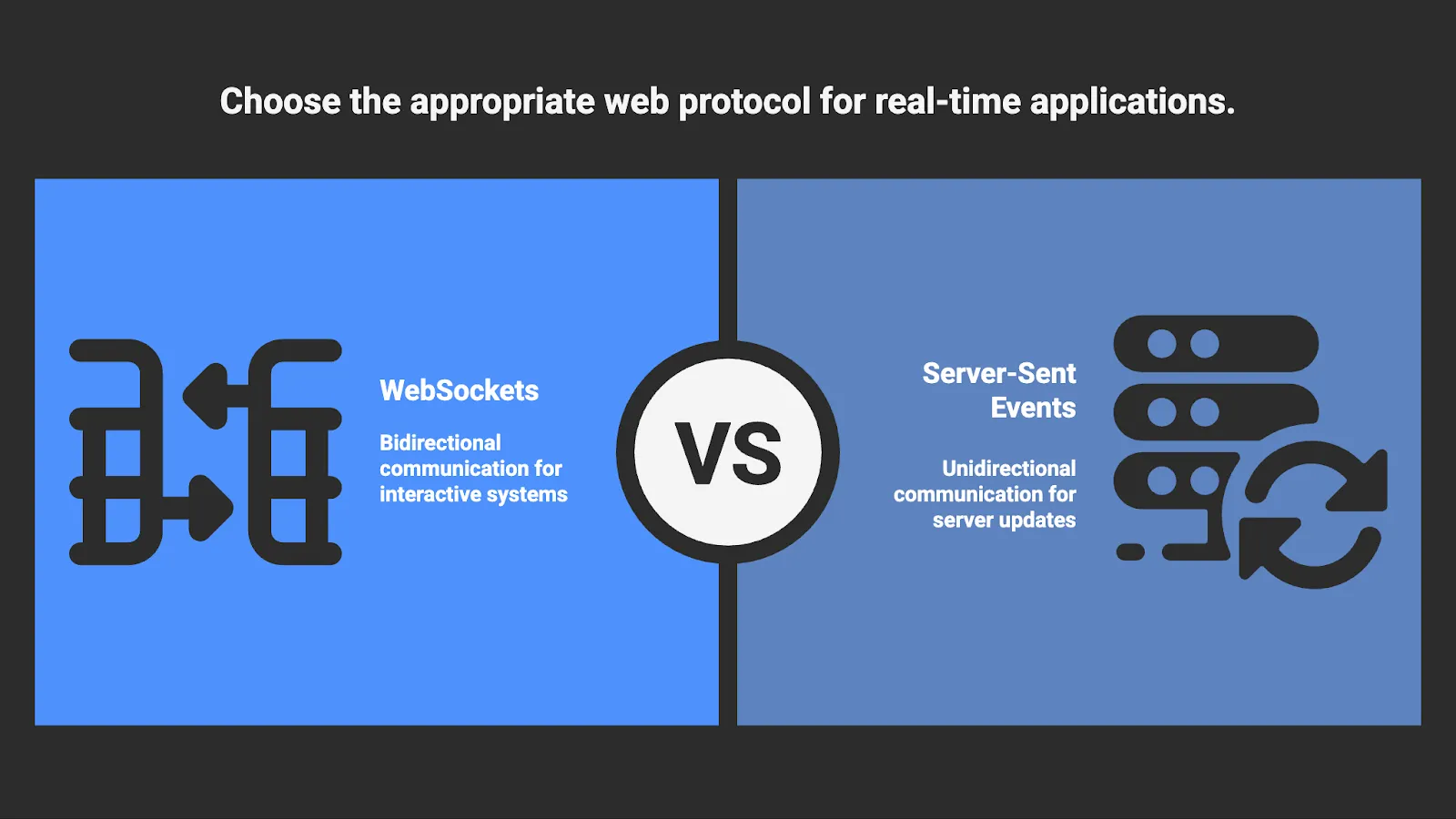
Two core web protocols shape how these updates are delivered today: Server-Sent Events and WebSockets. Both allow servers to push information without waiting for a new request, but they operate differently and support different interaction patterns. One is built for scalable one-way streaming. The other enables continuous two-way communication. Choosing between these approaches early shapes how well a system holds up as usage grows and expectations around freshness data increase.
Here’s what you need to know about Server-Sent Events vs. WebSockets in 2026.
What are Server-Sent Events, and how do they work?
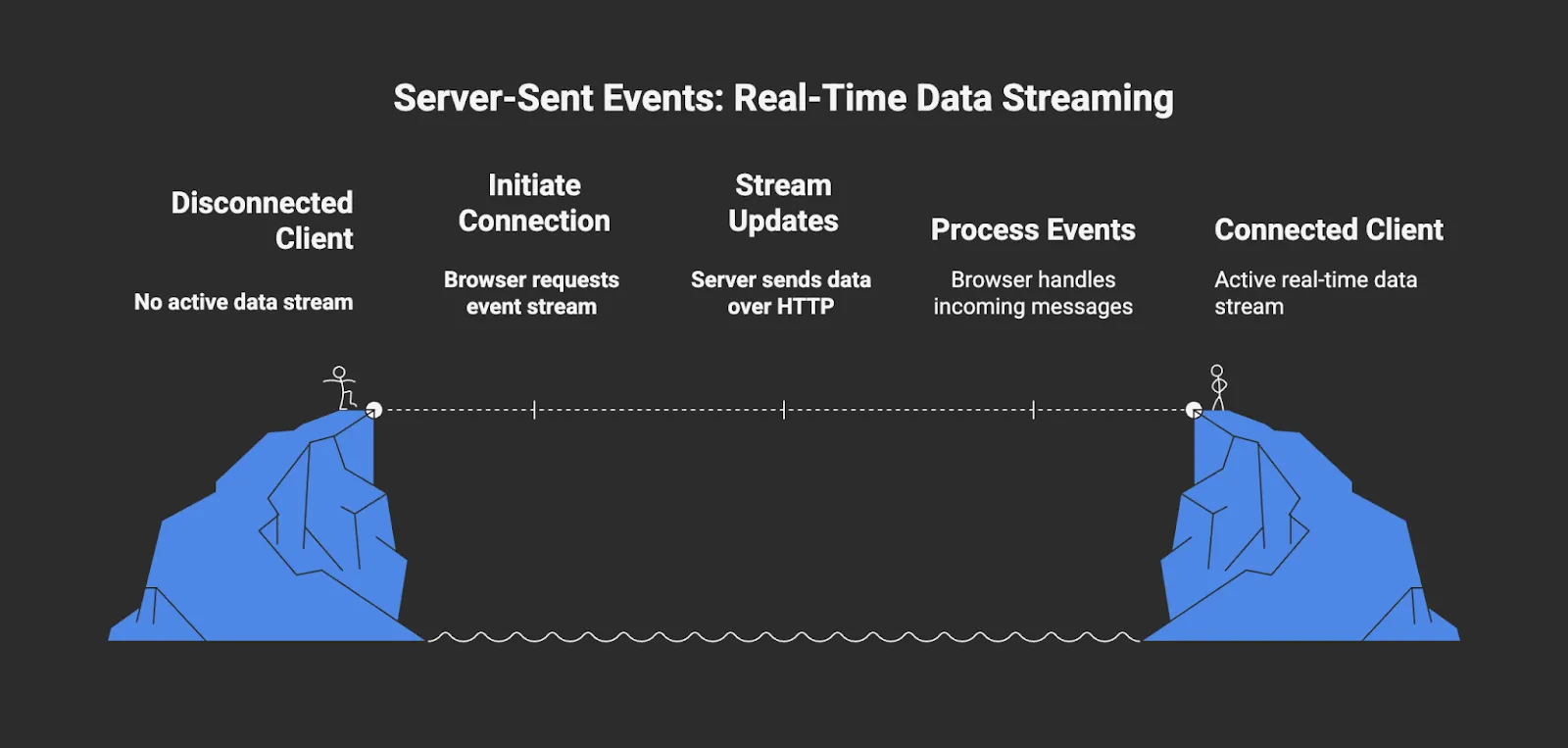
Server-Sent Events are a one-way web protocol that provides a simple transport model for delivering server-initiated updates from the server to the browser. Here’s how they work:
- The browser initiates an EventSource connection to a specific endpoint.
- The server replies with a text/event-stream response and keeps the connection open, streaming new event messages over the same response as updates become available.
- The server sends updates using the text/event-stream media type, allowing the browser to process events as a continuous stream rather than discrete responses.
Each message can include fields for event name, ID, and data, which the browser processes using the native EventSource API. The implementation is straightforward because the client uses standard handlers to listen to these events. Server-Sent Events are compatible with current infrastructure, such as load balancers, TLS termination, and request monitoring, because they function via HTTP. Additionally, the browser automatically attempts to reconnect after interruptions, using retry instructions provided by the server. The browser listens for updates on this connection but cannot send messages back to the server over the same channel.
Because Server-Sent Events are unidirectional, the server does not need to manage bidirectional sessions for multiple clients subscribing to the same stream. The update flow remains predictable and resource-efficient, which reduces operational overhead and keeps the architecture focused on the data rather than the connection mechanics.
Live dashboards, pricing and availability feeds, status monitors, analytics panels, and any situation where users primarily consume data that is subject to frequent change are all excellent uses for Server-Sent Events, especially when continuously refreshed data pipelines drive those updates.
What are WebSockets, and how do they work?
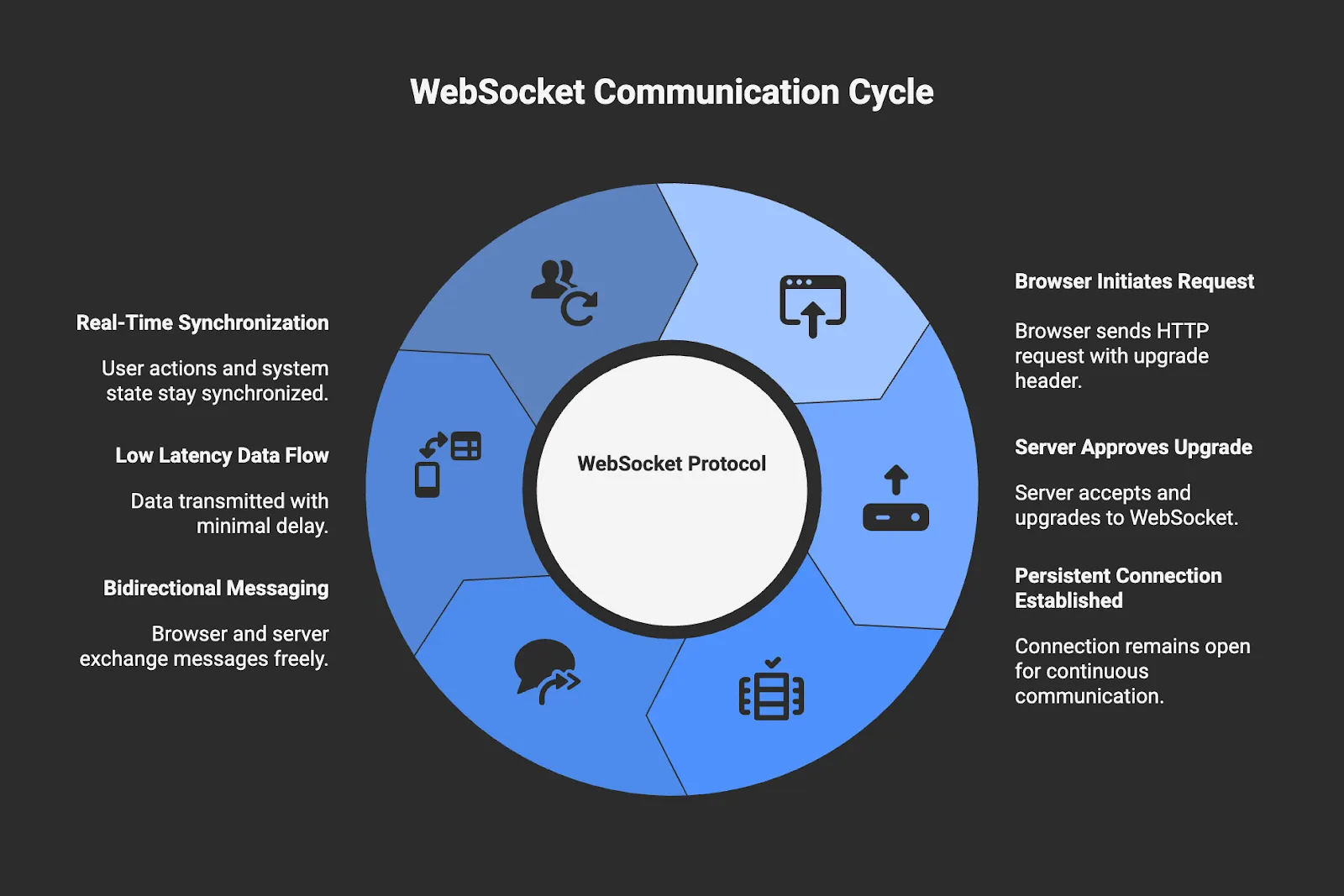
WebSockets are a bidirectional web protocol designed for continuous, two-way communication between the browser and the server. Here’s how they work:
- The browser initiates a standard HTTP request that includes a WebSocket upgrade header.
- If the server approves the request, the connection is upgraded from HTTP to the WebSocket protocol and remains open as a persistent socket.
- Both the browser and the server are capable of sending messages at any time over the same connection.
- Messages are transmitted as lightweight frames, which can carry either text or binary data depending on how the application encodes them.
Once the connection is established, communication no longer follows the request-response pattern of HTTP. Data flows over the open socket with very low latency, which makes WebSockets well-suited for interactive or collaborative systems where updates depend on user actions as well as server-side events.
Bidirectional messaging allows user actions to reach the server with minimal delay and enables the server to push updates that depend on client-initiated events rather than operating as a one-way update stream. This model places WebSockets at the core of trading systems, CRM automation workflows, collaborative editors, multiplayer platforms, and collaborative operational tools where multiple users need to stay in sync.
Complexity is the primary trade-off. Maintaining long-lived, bidirectional connections requires teams to implement explicit logic for session health, retries, broken connections, and message protocols. Infrastructure must also support persistent routing and connection state, and teams are responsible for managing compatibility as message formats and application behavior evolve over time. That trade-off is justified in applications where user actions and system state must stay synchronized in real-time across an open, shared connection.
Key Differences Between Server-Sent Events and WebSockets
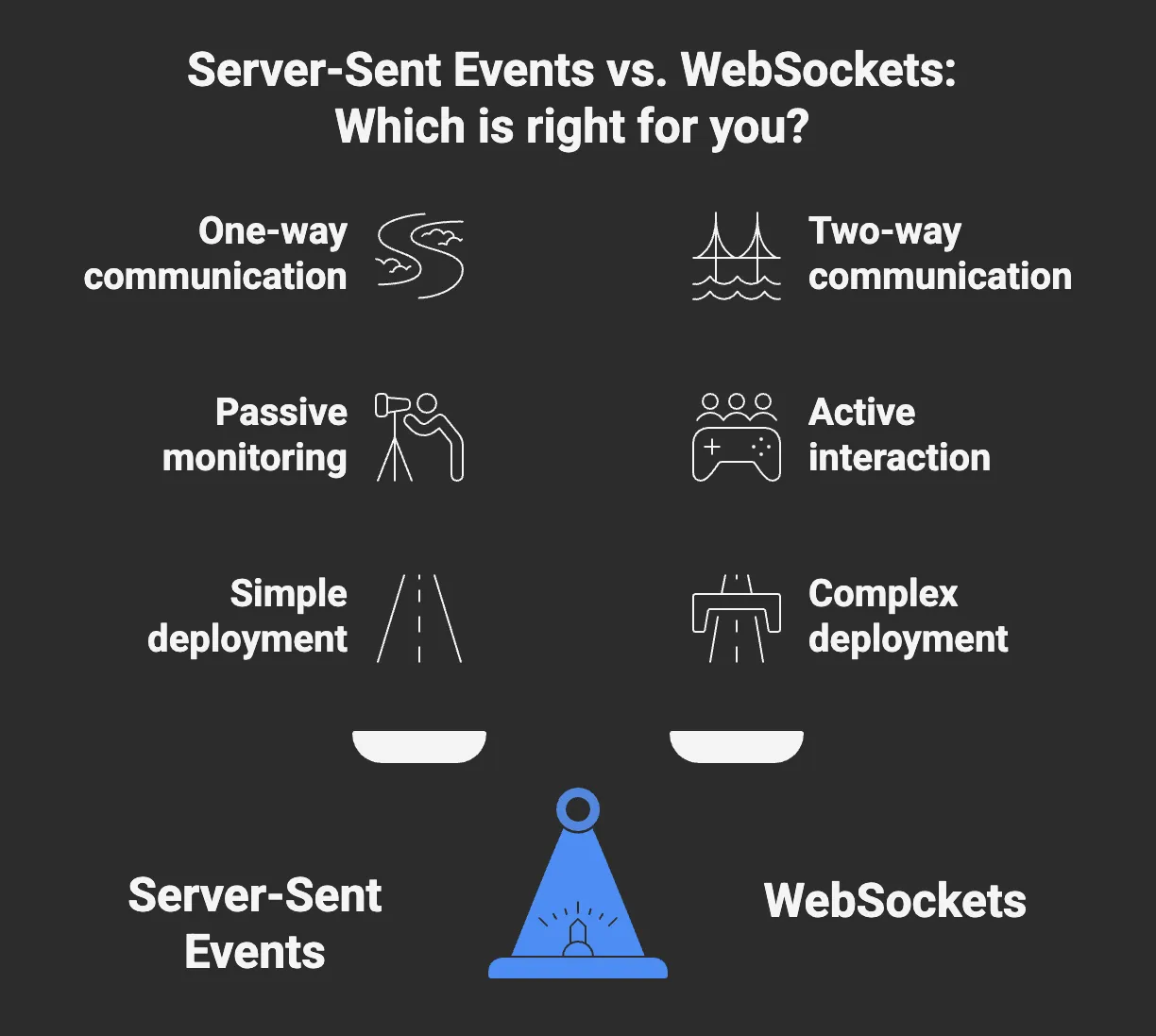
- Direction of Communication: Server-Sent Events support one-way updates from the server to the browser, while WebSockets support continuous two-way communication.
- Design Intent: Server-Sent Events are built for continuous, server-driven updates. WebSockets are designed for interactive systems built around shared state.
- Connection Model: Server-Sent Events utilize a long-running HTTP connection that adheres to the standard request model. WebSockets upgrade from HTTP to a dedicated protocol and maintain a persistent socket.
- Data Format: Server-Sent Events deliver named text events. WebSockets support both text and binary frames for application-defined message formats.
- Complexity: Server-Sent Events rely largely on built-in browser behavior and standard HTTP handling. WebSockets require applications to explicitly manage connection state and message flow.
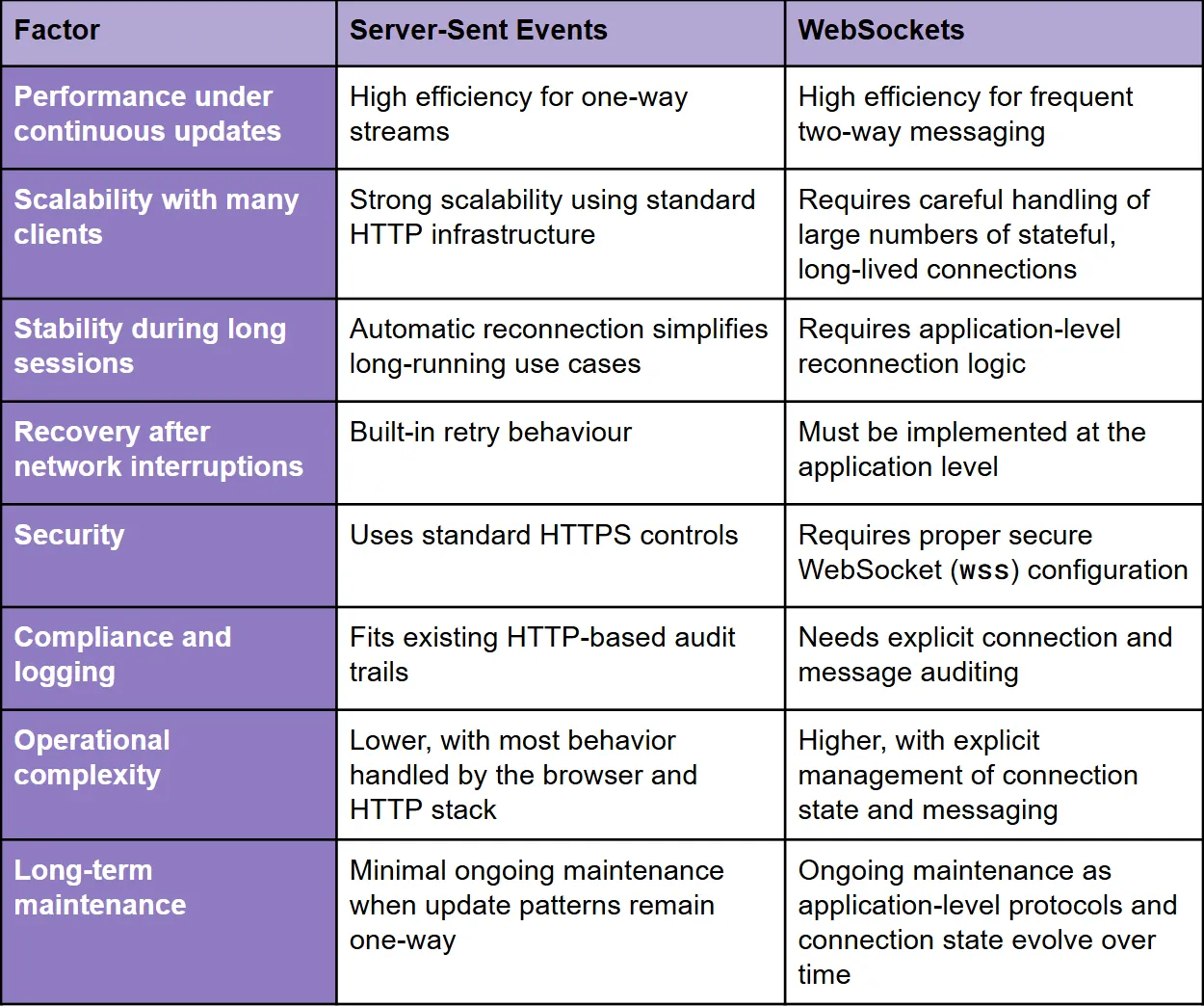
Server-Sent Events vs. WebSockets: Key Factors Comparison Table
This table compares Server-Sent Events and WebSockets across key technical and operational factors that influence how real-time systems behave at scale.
When to Use Server-Sent Events
Server-Sent Events are the right choice when the browser only needs to receive updates and the stream originates exclusively from the server. They are built for environments where the server produces a steady flow of information and clients simply need to reflect that state as it changes.
Dashboards, pricing displays, SEO ranking APIs, inventory monitors, and alerting systems all follow this pattern. In these systems, the browser acts as a consumer of updates rather than a participant in a two-way exchange.
Since Server-Sent Events operate on familiar HTTP patterns, they are generally straightforward to deploy and scale for one-way update workloads. Operations teams can reuse their existing load balancing, monitoring, and rate limiting strategies. Development teams do not need to introduce a separate protocol or maintain complex connection logic. The result is a delivery model that remains predictable and manageable as the volume of connected clients grows.
Use Server-Sent Events when:
- Clients only need to receive updates and do not send messages back to the server in real-time.
- The product depends on a steady stream of server-driven data such as prices, stock levels, and event logs.
- You expect many users to subscribe to the same feed and want to keep overhead low.
- Automatic reconnection is important, and you prefer not to build custom retry logic.
- You want a simple setup with predictable behavior across environments.
- Monitoring, authentication, and compliance processes need to remain within an existing HTTP-based framework.
When to Use WebSockets
WebSockets are a better option for applications that rely on active client-server communication, rather than passive monitoring domains like the digital shelf. They are particularly useful when user actions need to be processed instantly and remain visible to all connected parties.
WebSockets facilitate two-way communication, which is essential for trading applications, multiplayer interfaces, collaborative editing tools, and real-time messaging systems. In these kinds of products, updates are driven by shared state and user-initiated actions rather than originating solely from the server.
In systems that require user input and return updates quickly enough to feel seamless, latency becomes a significant factor. Teams can use WebSockets to send state changes as often as necessary, maintain long-lasting connections, and use compact message formats. This flexibility makes it possible to support experiences that would be difficult to build with a one-way channel alone.
Use WebSockets when:
- Clients must send updates back to the server in real-time as part of the interaction.
- The experience relies on a shared state across multiple users.
- Low-latency interaction is essential to product correctness.
- Messages need to be exchanged frequently or in large volumes in both directions.
- Binary frames or custom encodings are useful for performance.
- Two-way behavior is core to the application’s design rather than an optional enhancement.
Server-Sent Events vs. WebSockets: Powering Real-Time Delivery with Nimble
When it comes to Server-Sent Events vs. WebSockets, the choice comes down to how updates need to move through a system. The right choice depends less on industry and more on whether updates flow in one direction or require ongoing interaction. One-way update streams favor Server-Sent Events, while interactive, shared-state experiences require WebSockets. However, these protocols do not address the quality or readiness of the data being sent. That responsibility sits elsewhere in the system.
Real-time delivery depends on having a dependable stream of fresh, structured data feeding the delivery layer. Even a fast and stable transport mechanism cannot compensate for inputs that lag behind real-world conditions. For real-time applications to function correctly, the underlying data must be continuously collected and kept up-to-date before it reaches Server-Sent Events or WebSockets. Nimble’s platform supports this data layer by continuously collecting public web data throughout the day and updating it as conditions change.
The platform’s Web Search Agents handle extraction automatically and adapt as sources evolve, while built-in compliance and accuracy checks ensure the data being delivered is trustworthy and appropriate to use. Teams receive validated, structured data that is ready to stream through any real-time delivery method. The result is always-fresh, structured data that can power Server-Sent Events, WebSockets, or any real-time interface with minimal operational overhead.
Book a Nimble demo to discover how the platform powers real-time, structured data delivery.
FAQ
Answers to frequently asked questions
.webp)

.webp)
.webp)